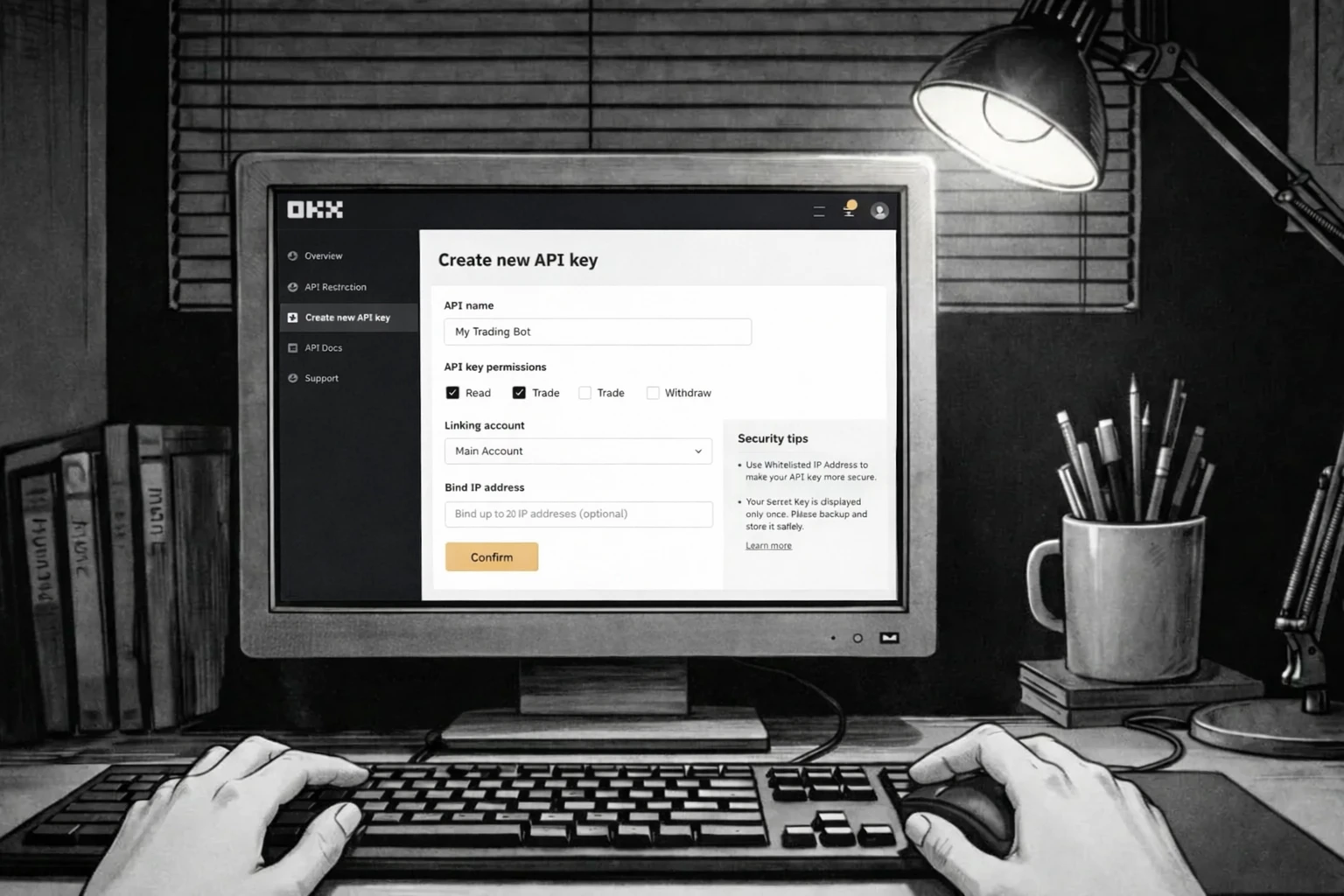
How to Create an OKX API Key (Step-by-Step)
To connect your OKX account with AuroraTrading.app, you need to create an API key in OKX and configure permissions correctly.
Register OKX
If you do not have an OKX account yet, create one at:
Important Notes Before You Start
Use least-privilege permissions
- For automated execution, enable only required Read + Trade permissions.
- For analytics only, keep the key Read-Only.
- Never enable withdrawals.
OKX requires a Passphrase
- When creating an API key, you must set an API Passphrase.
- Save it securely; you need it later to connect the key in Aurora.
Keep 2FA enabled
- OKX will require security verification before API key activation.
Create Your OKX API Key
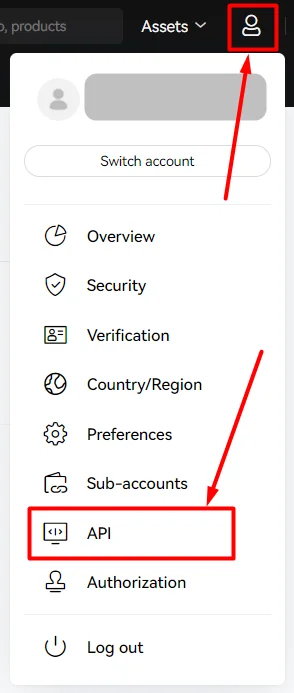
Step 1 - Open API Management
In OKX, open your account menu and go to API (API management).
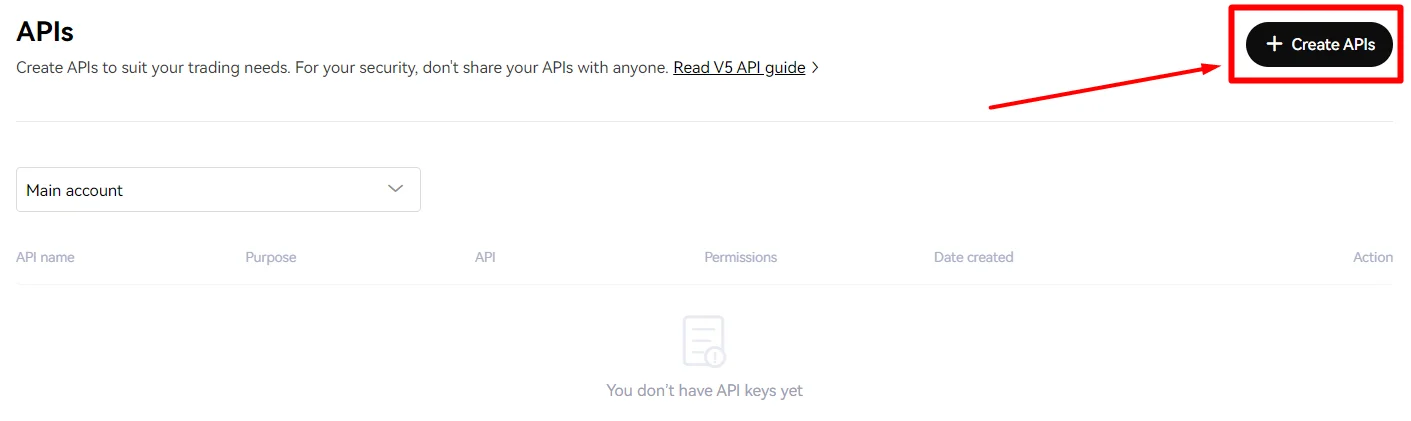
Step 2 - Click "Create API"
On the API management page, click Create APIs.
Step 3 - Set Name and API Type
Configure basic key details:
- Set a clear label, for example:
AuroraTrading - Select the account context you want to use
- Choose Linking third-party apps
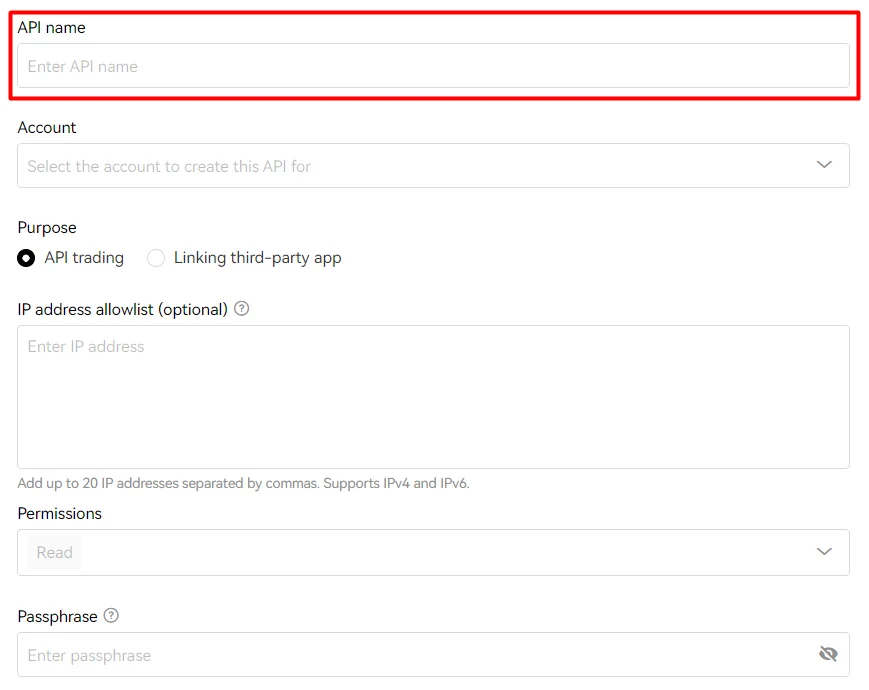
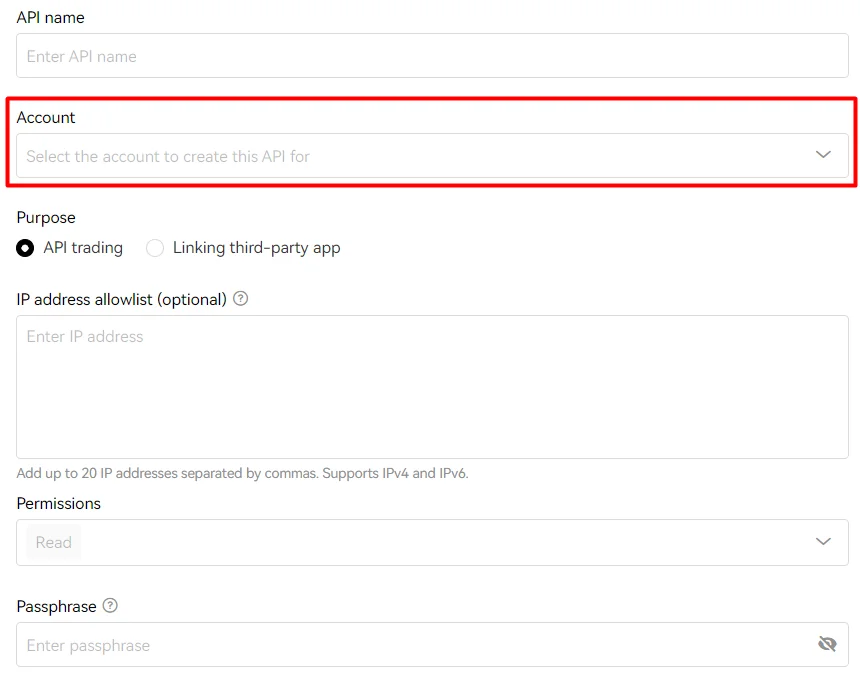
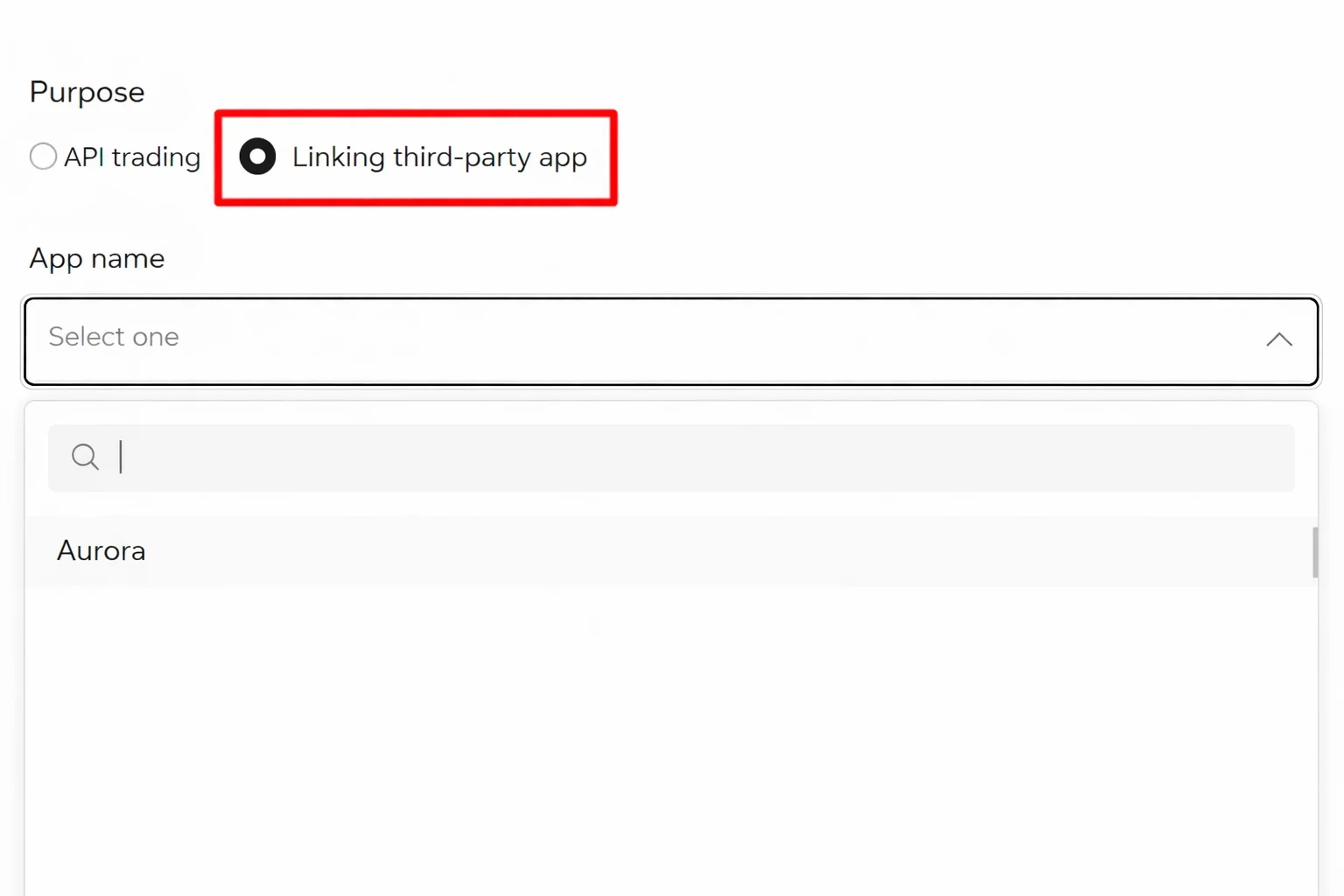
Step 4 - Configure Permissions and Passphrase
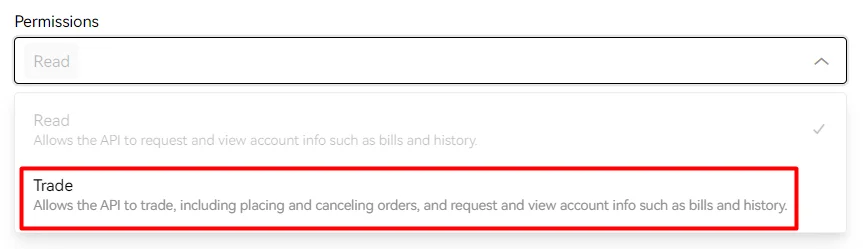
Set key permissions and passphrase:
- For automated execution: enable Trade (and required Read access)
- For analytics only: keep the key Read-Only
- Never enable withdrawals
- Set a strong API Passphrase and store it securely
- If your infrastructure uses rotating egress IPs, keep IP restriction unrestricted; if you have static egress, prefer IP allowlisting

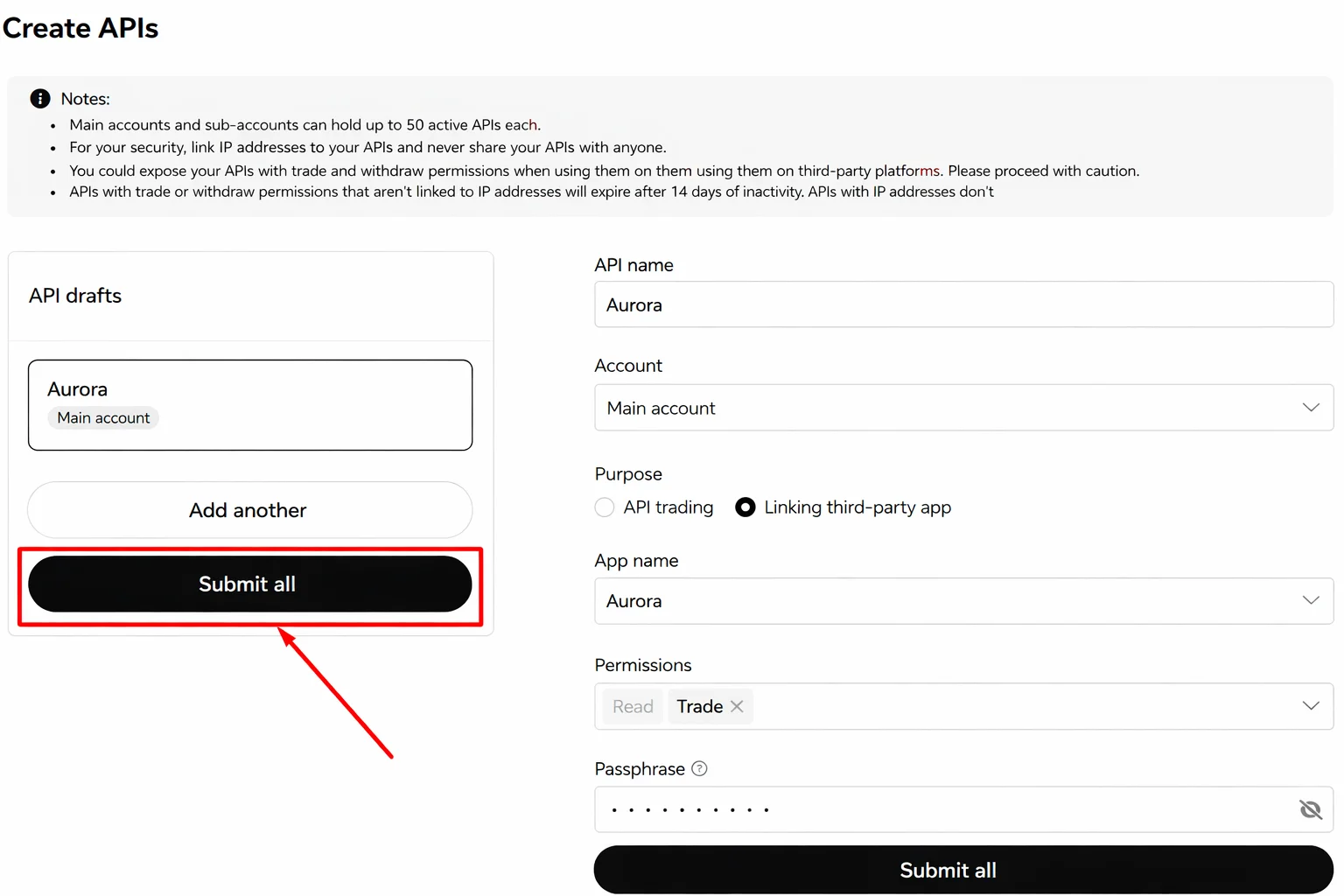
Step 5 - Submit and Complete 2FA
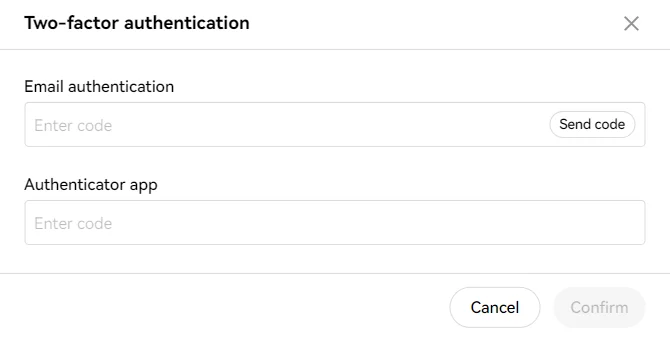
Click Submit all, then complete all required security checks (2FA/email/SMS) and confirm.
Step 6 - Reveal and Save API Credentials
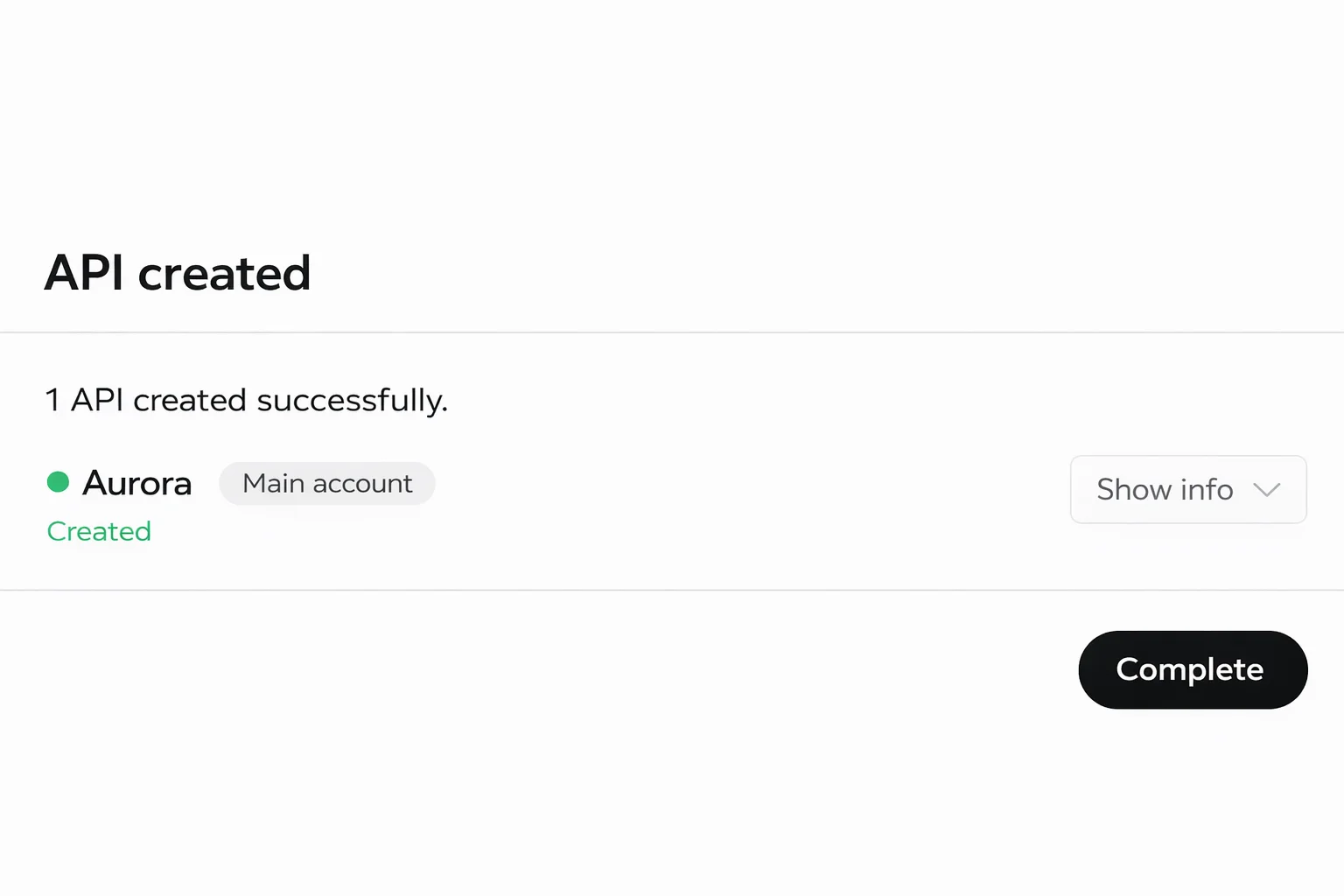
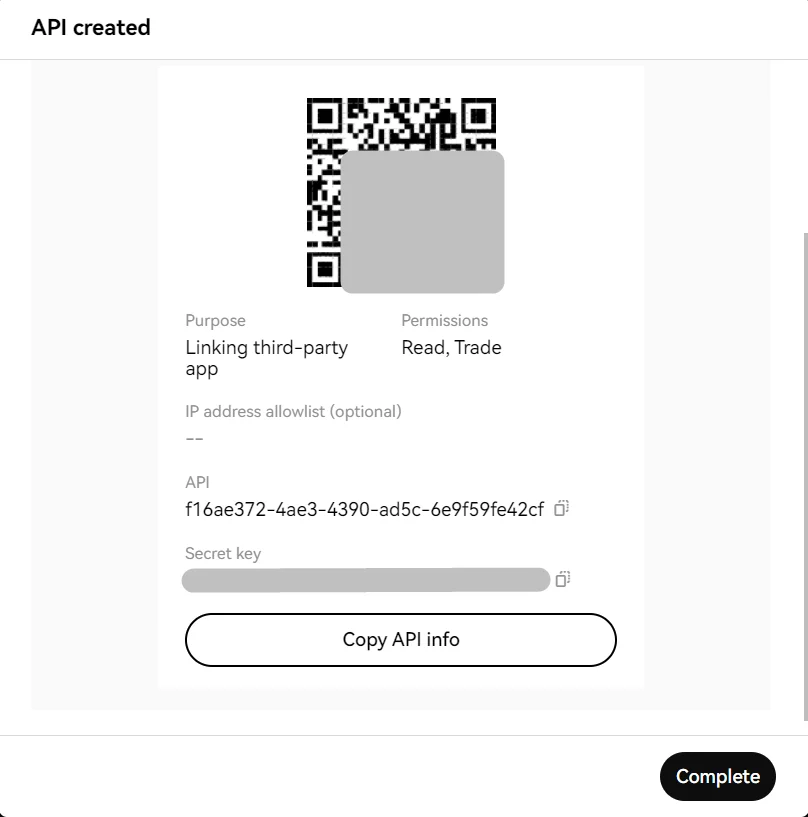
Open key details using Show info, then copy and securely store:
- API Key
- API Secret
- API Passphrase
Done! Your OKX API Key is Ready
Now paste your credentials into AuroraTrading.app to connect OKX.
Next Steps in Aurora
- Download the Aurora desktop app and connect your exchange account.
- Review API key safety best practices before enabling live execution.
- Compare setup guides for Binance, Bybit, and Bitget.
Quick FAQ
What permissions should I use for Aurora?
For automation, enable only required Read + Trade permissions. For analytics, use Read-Only. Do not enable withdrawals.
Do I need an API Passphrase on OKX?
Yes. OKX requires a passphrase for API keys. You must save it and provide it when connecting the key.
Should I enable IP allowlisting?
If you have stable static egress IPs, allowlisting is safer. If your infrastructure uses rotating egress IPs, strict allowlisting can break connectivity.
Can I regenerate API credentials later?
Yes, but regenerated keys/secrets usually require reconnecting your exchange in Aurora.