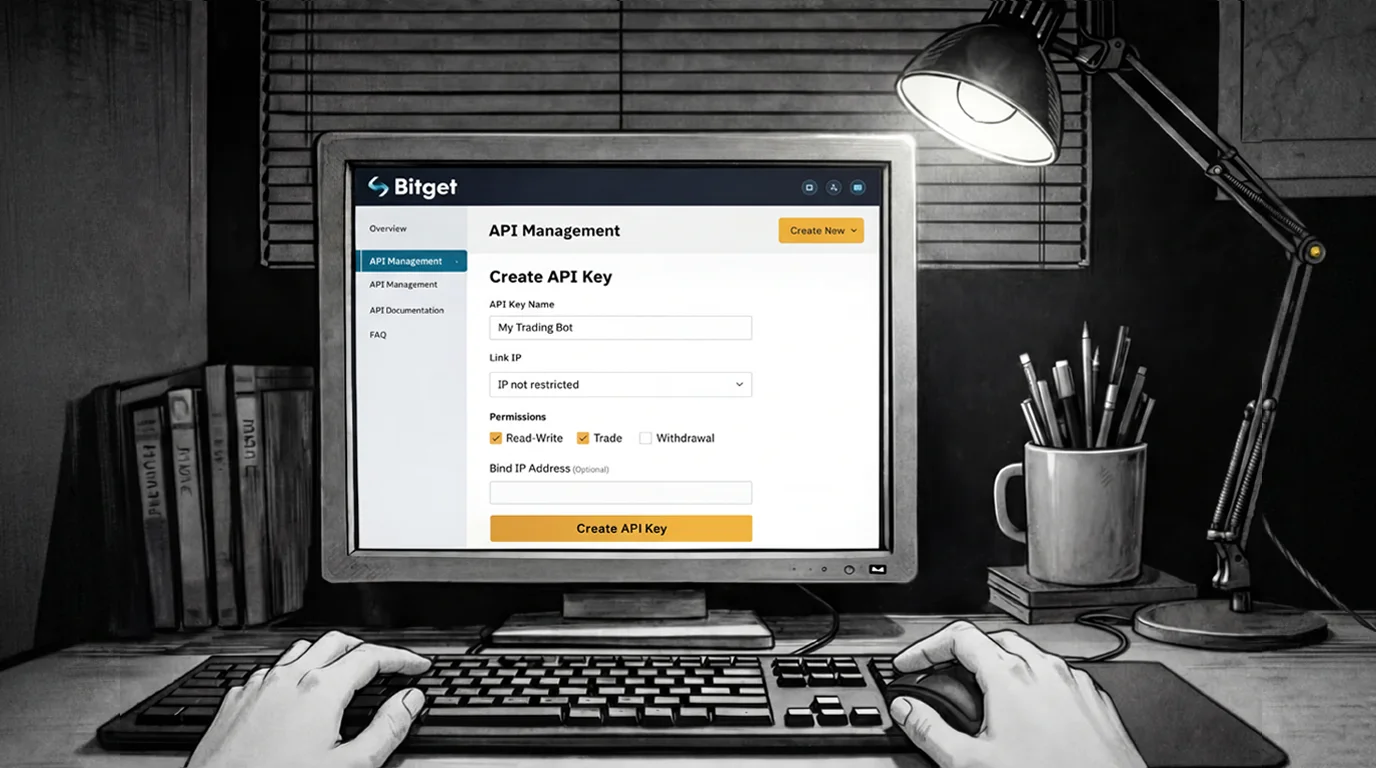
How to Create a Bitget API Key (Step-by-Step)
To connect your Bitget account with AuroraTrading.app, you need to create an API key inside Bitget. This guide shows the exact steps and the recommended security settings.
Register Bitget
If you don't have a Bitget account yet, create one at:
- https://www.bitget.com/
Important Notes Before You Start
API keys can only be created on the Bitget website There is no option to generate an API key via the Bitget mobile app.
Create Your Bitget API Key
Step 1 - Open the API Management Page
Open your Bitget account dashboard:
- https://www.bitget.com/dashboard
Log in if prompted.
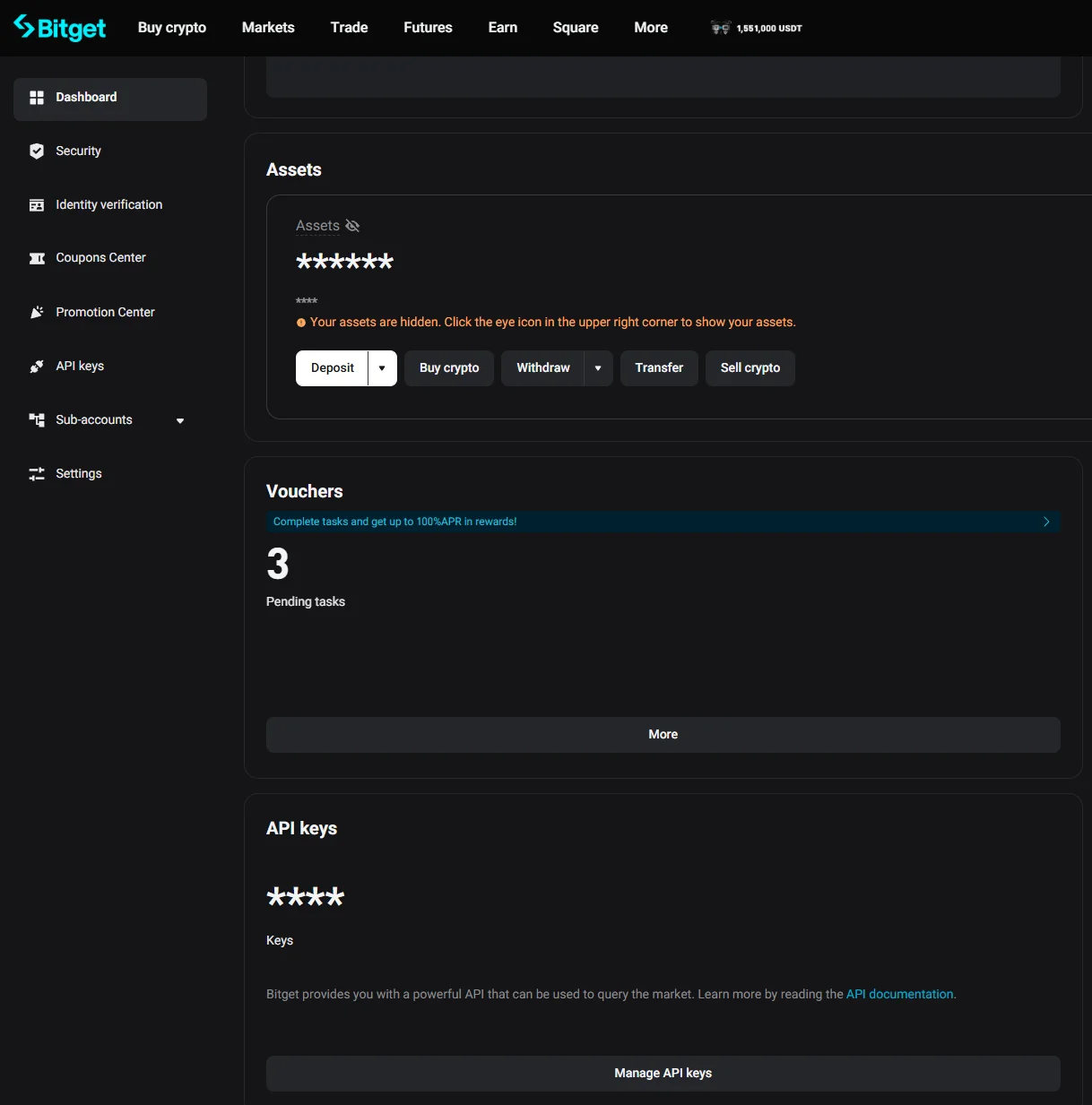
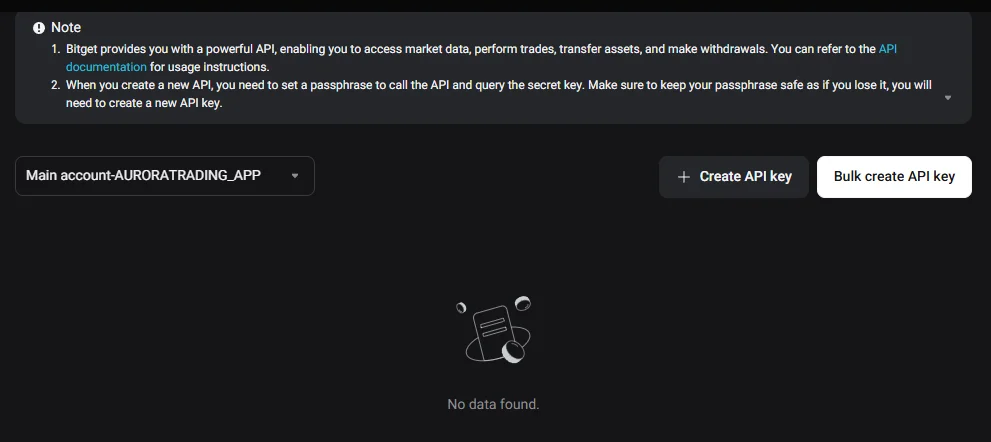
Step 2 - Click "Create New Key"
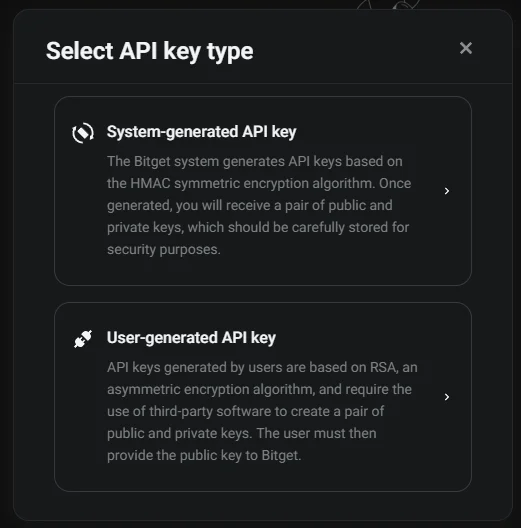
On the API Management page, click Create New Key and choose a System-generated API key.
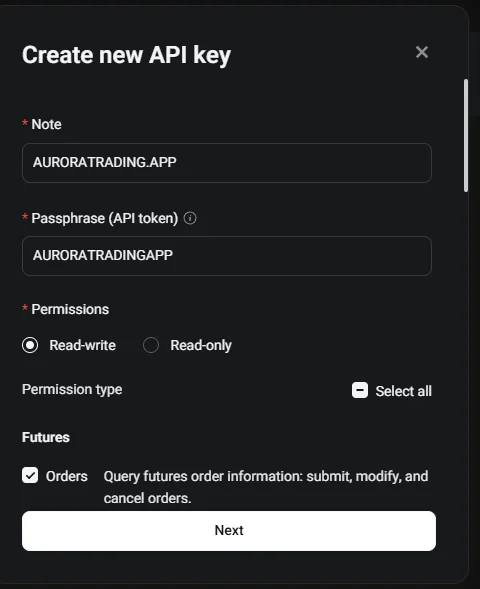
Step 3 - Configure Your API Key Settings
A pop-up window will appear. Configure the key according to your needs:
- Remark / label: pick a recognizable name (for example:
AuroraTrading) - Permissions:
- For automated execution: enable Trade / Orders (Bitget may label this as Read-Write + Orders)
- For analytics only: use Read-Only
- Never enable withdrawals
- IP restriction: optional. If you enable IP allowlisting, make sure it won't break your usage when traveling or changing networks.
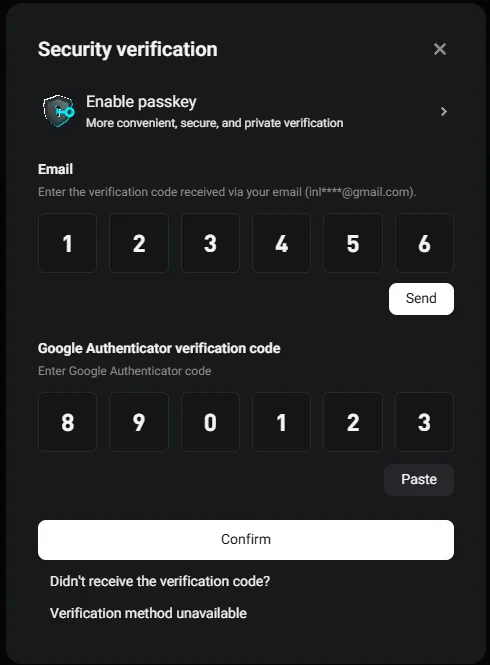
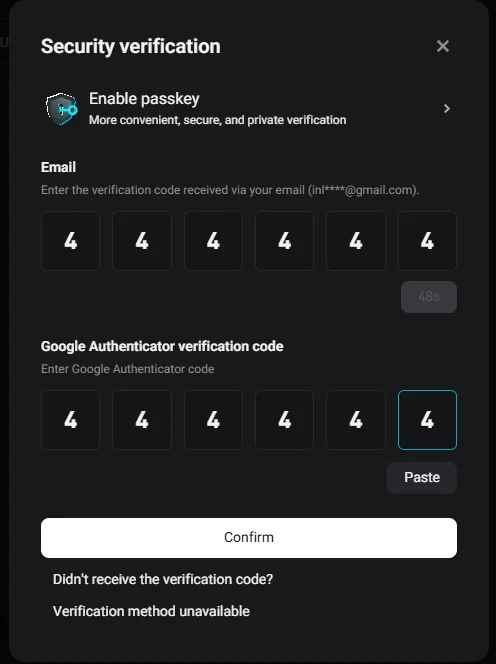
Step 4 - Confirm 2FA (Google Authenticator)
Confirm key creation with your 2FA code, then finish the flow.
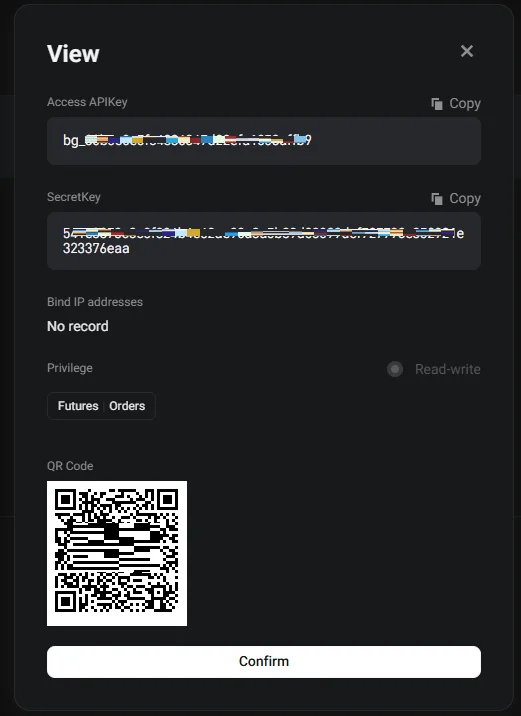
Done! Your API Key is Ready
Copy the API key and secret securely. Next, paste it into AuroraTrading.app to connect your exchange account.
Next Steps in Aurora
- Download the Aurora desktop app and connect your exchange account.
- Follow API key safety best practices before turning on automation.
- Compare setup flows for Bybit and Binance.
Quick FAQ
Can I create a Bitget API key from the Bitget app?
No - API keys can only be created via the Bitget website in a browser.
Should I choose Read-Only or Read-Write permissions?
If you only want analytics, use Read-Only. If you want automated execution, you must enable Trade / Orders (Bitget may label this as Read-Write + Orders). In all cases: never enable withdrawals.
Do I need to enable IP whitelisting?
IP allowlisting adds security, but it can cause connection issues if your IP changes. Enable it only if you can manage a stable allowlist and understand the operational impact.
Is it safe to share my API key with AuroraTrading.app?
Yes - but never share your API secret publicly (chats, screenshots, emails, etc.). Only paste credentials into the official AuroraTrading.app connection page.